BingoPlus App Download For Android – Safe & Easy Guide

BingoPlus

20 hours ago

Table of Contents

Overview

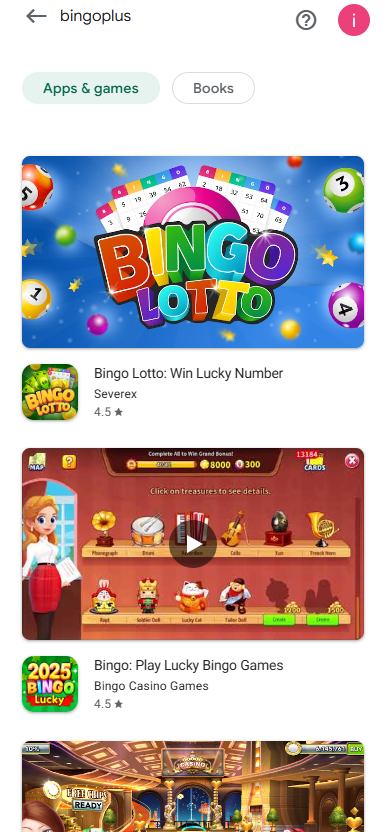
Many Android users have recently noticed that the BingoPlus App can no longer be found in the Google Play Store. Due to unexpected circumstances, the official app has been temporarily removed. Until it returns, players are strongly advised to download the app only through the official BingoPlus website to ensure safety and authenticity. To help players avoid fake apps and install the correct version, this guide provides clear and verified step-by-step instructions.

Why the BingoPlus App Is Not on Google Play

The temporary removal may be related to Google Play’s changing policy requirements, metadata reviews, or internal compliance audits. While the exact reason is not publicly confirmed, BingoPlus has stated that the app will return as soon as the approval process is completed.

During this period, any BingoPlus-like app appearing in the Play Store is not released by Digipus or BingoPlus. These copies may contain misleading branding, unsafe software, or phishing functions. Stick to the official website for safe installation.

How to Identify the Official BingoPlus App

Several fake apps have appeared online, trying to imitate the real BingoPlus experience. To protect yourself, verify the following:

  • Download only from the official website: The recommended login and download page is Bingoplus.
  • Check the official app introduction page: Visit BingoPlus App for verified information.
  • Verify the logo: Fake apps often use similar but not identical icons. Compare with the logo shown on the official website.
  • Check the publisher: Only the official BingoPlus/Digipus signature is valid. Third-party publishers are unsafe.
  • Be cautious of suspicious reviews: Fake apps often display repetitive or bot-like reviews and unusual download patterns.

How to Download & Install the BingoPlus App (Android)

Even though the app is not available on Google Play, downloading the official version remains simple and secure. Follow these steps:

  1. Open your mobile browser and search for “BingoPlus official website,” or visit the login page directly: Bingoplus.
  2. On the homepage, tap the “Open App” or “Download App” button.
  3. The official APK file will begin downloading.
  4. Once downloaded, tap the APK to install it.
  5. If Android prompts “Unknown Source,” simply enable “Allow installation from this source.”
  6. After installation, the BingoPlus icon will appear on your home screen. Log in and enjoy instant access to all games.

Installation & Permissions

The official BingoPlus APK requires minimal permissions for normal operation, such as network access and storage for caching. If the app asks for unrelated permissions (such as SMS or contacts), stop installation immediately—this indicates a fake or modified app.

Common Issues & Solutions

  • Download won’t start: Switch to Wi-Fi or restart the browser.
  • APK won’t install: Make sure to enable “Allow from this source.” Remove any old versions before reinstalling.
  • Warning about unknown app: Ensure you are downloading directly from the official website.
  • App crashes on launch: Restart your device or reinstall the latest version from the official page.

Security & User Protection

BingoPlus prioritizes user security. All official APK files are digitally verified, ensuring authenticity. User login and payment information are encrypted using SSL technology, keeping your account fully protected. For safety, avoid downloading BingoPlus from third-party stores, unofficial blogs, or social media links.

FAQ

Q: Why is BingoPlus unavailable on Google Play?
A: It is temporarily removed due to policy adjustments or technical review requirements. It will return once approved.
Q: Is downloading from the website safe?
A: Yes. The official website provides the verified APK with secure digital signatures.
Q: Do I need to log in again after installation?
A: Yes, login is required once. You may enable “Remember Me” for easier future access.

Official Announcements & Contact

BingoPlus will notify all players immediately once the app becomes available again on Google Play. For secure access and official updates, visit: Bingoplus and the verified app page: BingoPlus App.

803

22

Mystery Car Win BYD car

BingoPlus 11/28

Mystery Car Win BYD car

Jackpot Fortune Rain

BingoPlus 11/28

Jackpot Fortune Rain

Arcade JDB Games Leaderboard Up To 70000P Event

BingoPlus 11/28

Arcade JDB Games